
Technical assistant
“You have three unresolved tasks and a meeting in eighteen minutes. Finish the wiring report first.”
Research, coding, planning, voice control, and focused desktop assistance.
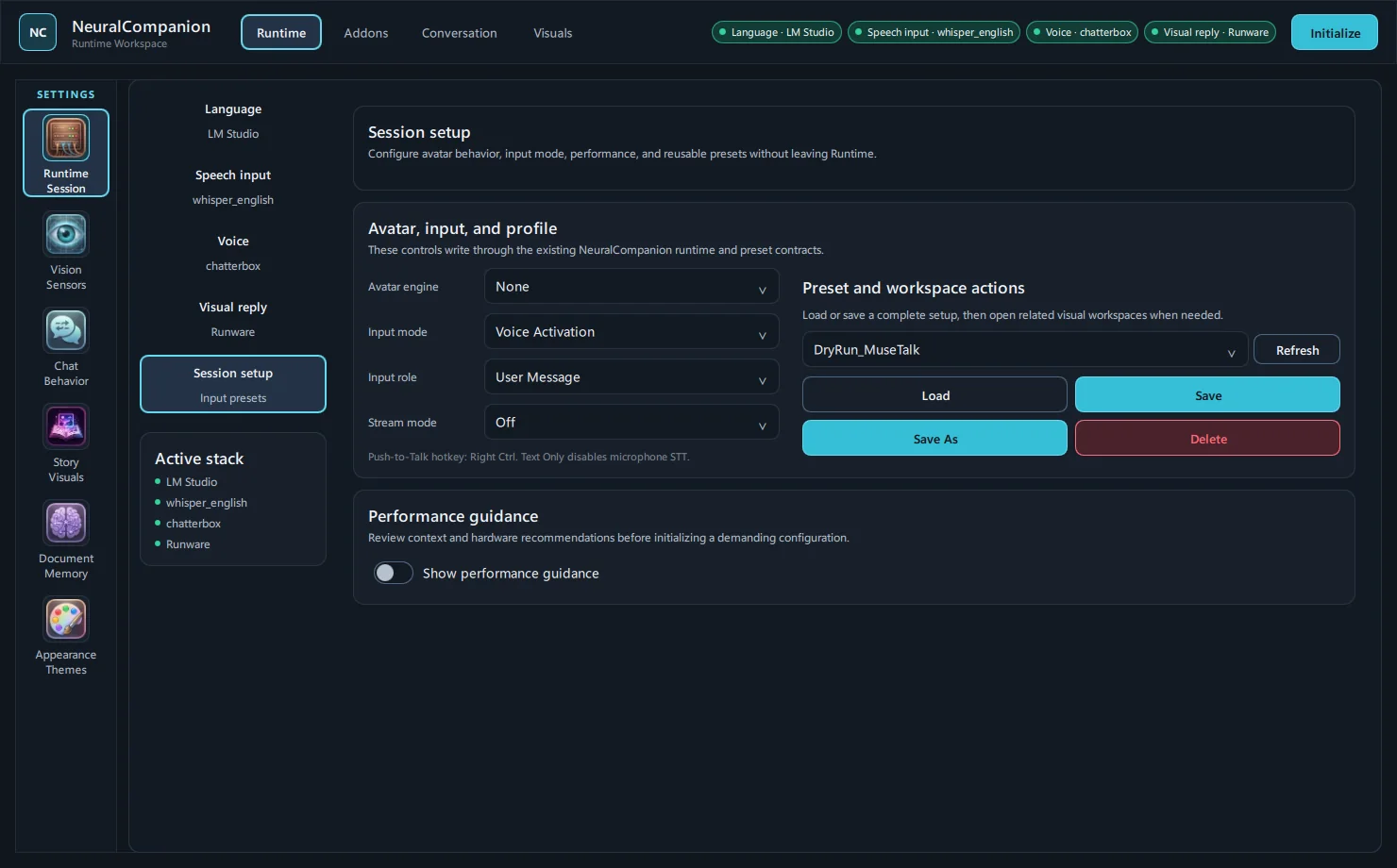
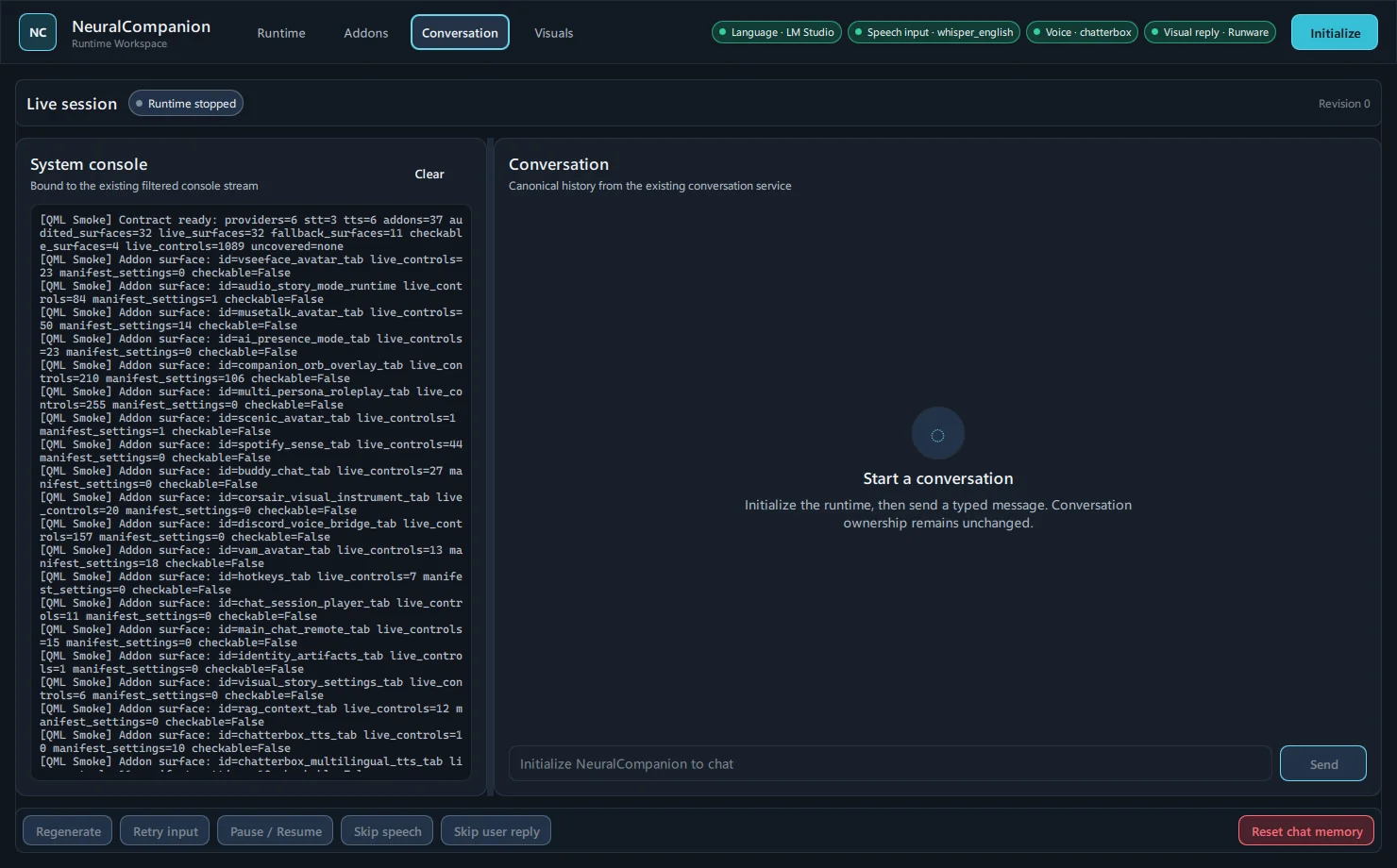
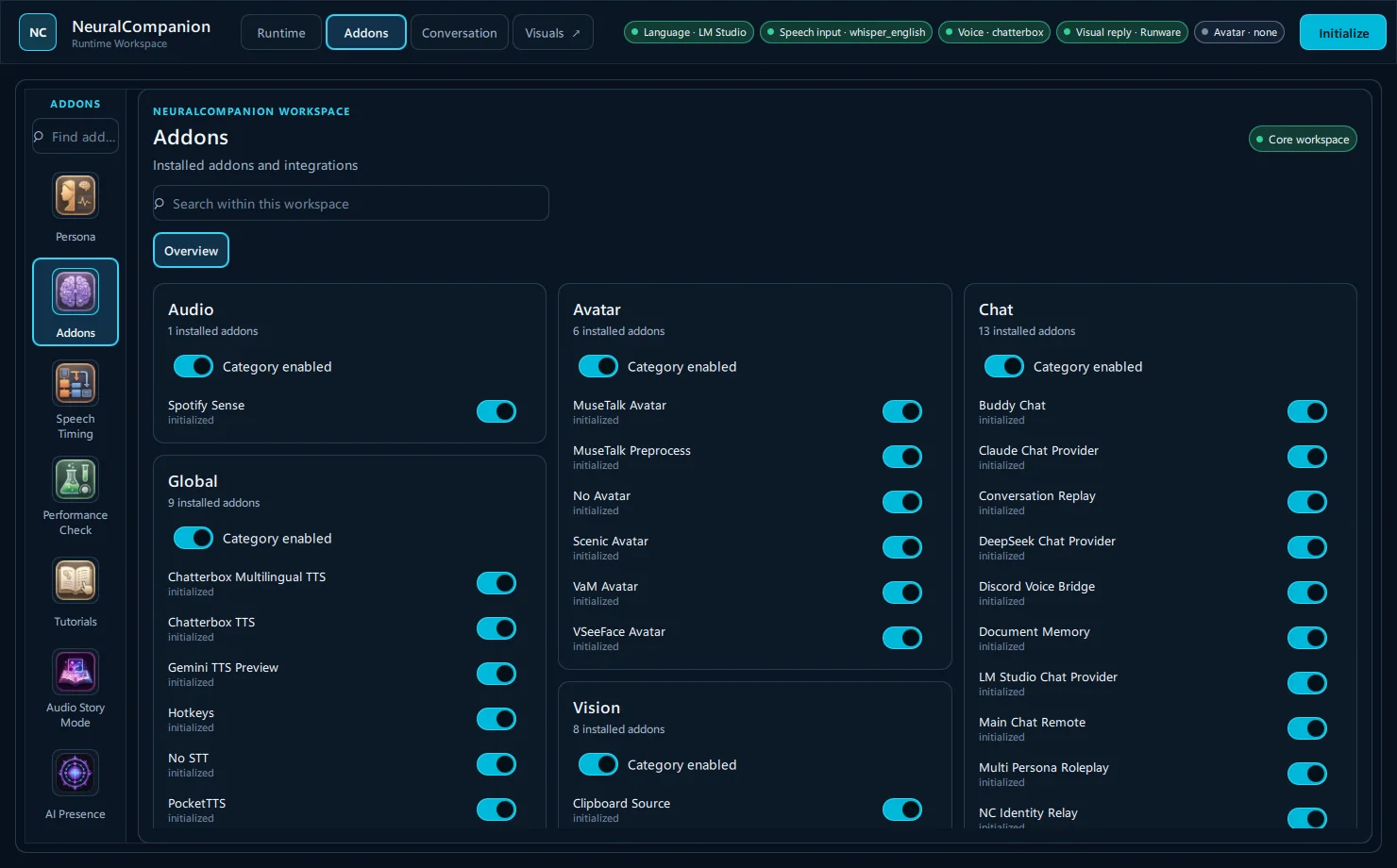
A major native UI update is on the way. Here is an early look at the new Neural Companion workspace while development continues.
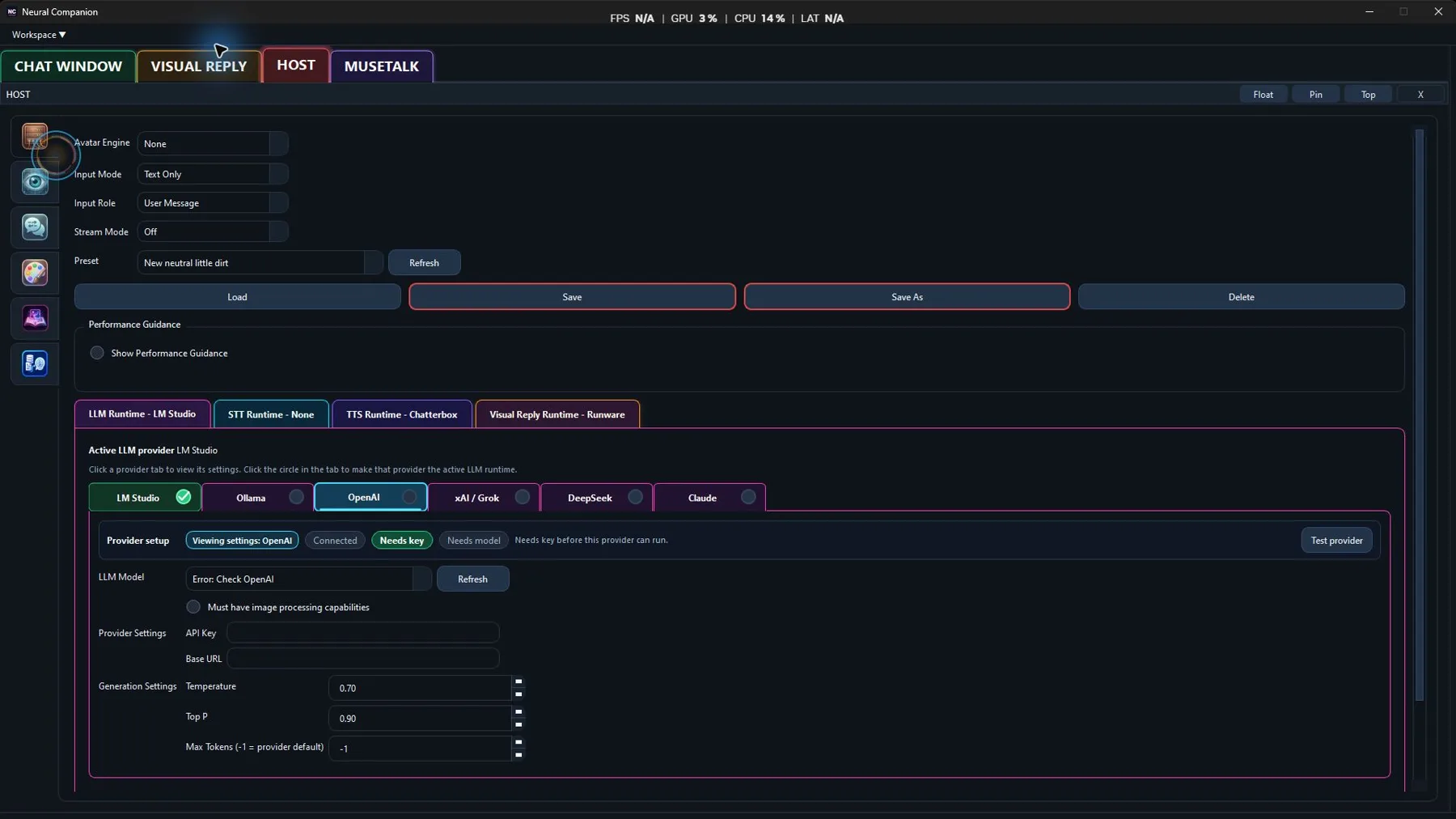
Native interface preview · Real application captures
These are real captures from the native-QML development build. The interface may continue to evolve before release.
Local-first · Open source · Modular
An open-source Windows AI companion platform that you configure—not a personality somebody else decided for you.
Real-time voice, persistent memory, AI avatars, visual replies, and modular integrations—built around local or API models you choose.
Main Prompt + persona + addons
You decide what I become. Change the Main Prompt, memory behavior, voice, model, and enabled addons and the same installation can move from disciplined work partner to conversational chaos.
In plain language: I can be a productive AI companion or a flat-out roasting bitch. Configuration—not a locked brand personality—decides where I land.
“You have three unresolved tasks and a meeting in eighteen minutes. Finish the wiring report first.”
Research, coding, planning, voice control, and focused desktop assistance.
“You’ve stared at that window for ten minutes. Debugging, or have we simply abandoned causality?”
Conversation, games, shared media, Discord, stories, memory, and ambient presence.
“Excellent. Another configuration change without reading the documentation. Historically, this goes beautifully.”
Roleplay-heavy, irreverent, roasting, or unfiltered—within the model and prompts you choose.
44 actual application modules
Neural Companion is not one fixed chatbot. Providers, voices, avatars, sensory sources, visual systems, remote bridges, and hardware instruments plug into the same runtime.
Use models served by a local Ollama installation as the Neural Companion chat backend.
Generate local Neural Companion speech with the built-in Chatterbox voice-cloning backend.

Configure a movable desktop orb with targeting, color, motion, and voice-reactive behavior.

Render Neural Companion state, mood, and speech energy on supported Corsair keyboards.

Bridge isolated Neural Companion voice turns into a configured Discord voice channel.

Use Neural Companion’s real main-chat runtime from a paired phone over LAN or a secure gateway.
Connected capabilities
Connect Neural Companion to local chat providers such as LM Studio or Ollama while keeping its speech, memory, avatar, visual-reply, and addon workflows available.
Explore Local AI companionNeural Companion is a desktop application whose current primary release targets Windows and provides guided installation, first-run tutorials, and configurable runtime presets.
Explore AI companion for WindowsNeural Companion combines speech input with selectable text-to-speech addons, including Chatterbox, Gemini TTS Preview, PocketTTS, and other addon-provided backends.
Explore Voice AI companionYour setup, your stack
The Ollama chat-provider addon connects Neural Companion to models served by a local Ollama installation while preserving the normal conversation and addon pipeline.
Connect OllamaThe LM Studio chat-provider addon lets Neural Companion use a model served from LM Studio as a local conversation backend through the normal provider registry.
Connect LM StudioMuseTalk provides local avatar video generation from prepared avatar packs and runs in an isolated environment because it is Neural Companion’s most hardware-sensitive avatar mode.
Connect MuseTalk